
WordPress Block Editor Revisions & Site Editor Resets Step-by-Step Guide
This is a step-by-step guide for using Page Revisions in the Block Editor and the Reset to HTML template feature in the Site Editor, with use-cases, access instructions, and UI tips. With this guide, you’ll confidently navigate both features for editing safety (revisions) and theme layout control (template reset).
1. Block Editor: Page Revisions
See the WordPress official documentation for revisions: [wordpress.org]
Use Cases
- Reverting accidental changes or deletes
- Comparing previous drafts
- Recovering lost content after publishing errors
How to Access & Use
- In the Dashboard, go to Pages > All Pages, then click Edit on your page.
- Open the Settings sidebar (click the ⚙️ icon if hidden).
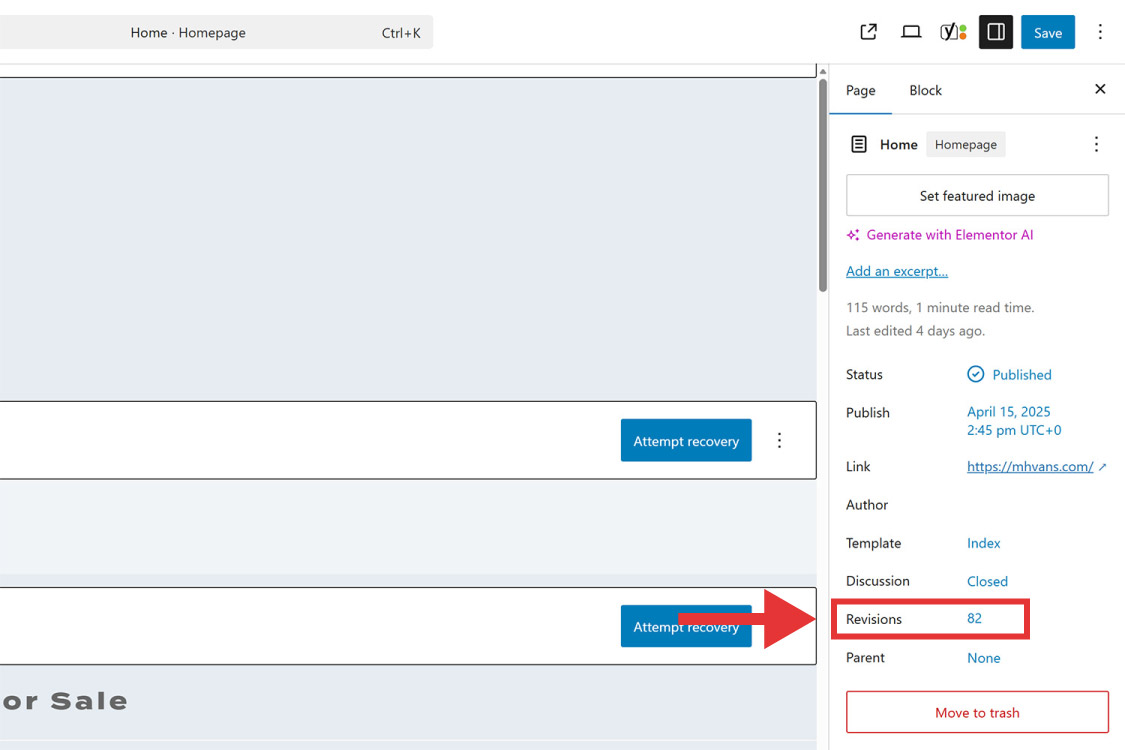
- Under the Page (or Post) tab, find Revisions, then select Browse (or select the number of revisions).
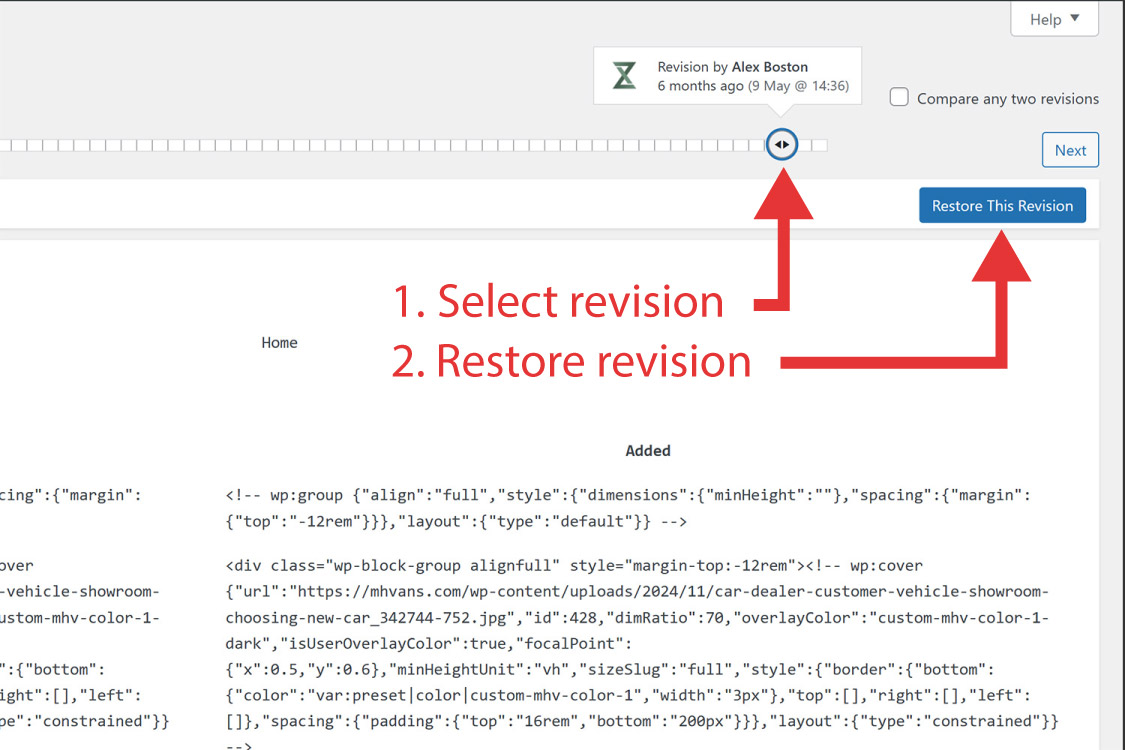
- Use the slider or Next/Previous arrows to compare versions—highlighted additions/deletions visible.
- Click Restore This Revision to revert.
Tip: A revision appears only after saving a draft or update.
UI Step-by-Step
- Edit screen: Sidebar shows Revisions under Page (or Post).
- Revisions screen: Slider handles compare versions, “Restore This Revision” button.
2. Site Editor: Reset to HTML Template
See the WordPress official documentation on the site editor: [wordpress.org]
Use Cases
- Resetting a block-theme template (e.g., front page) to its original state
- Clearing custom styles or layout parts without reinstalling
- Useful during theme experimentation or fixing broken templates
How to Access & Use
- Ensure a Block theme is active (Appearance > Themes → select a Block theme).
- Navigate to Appearance → Editor to open the Site Editor.
- Choose Templates → Manage All Templates, find your template page.
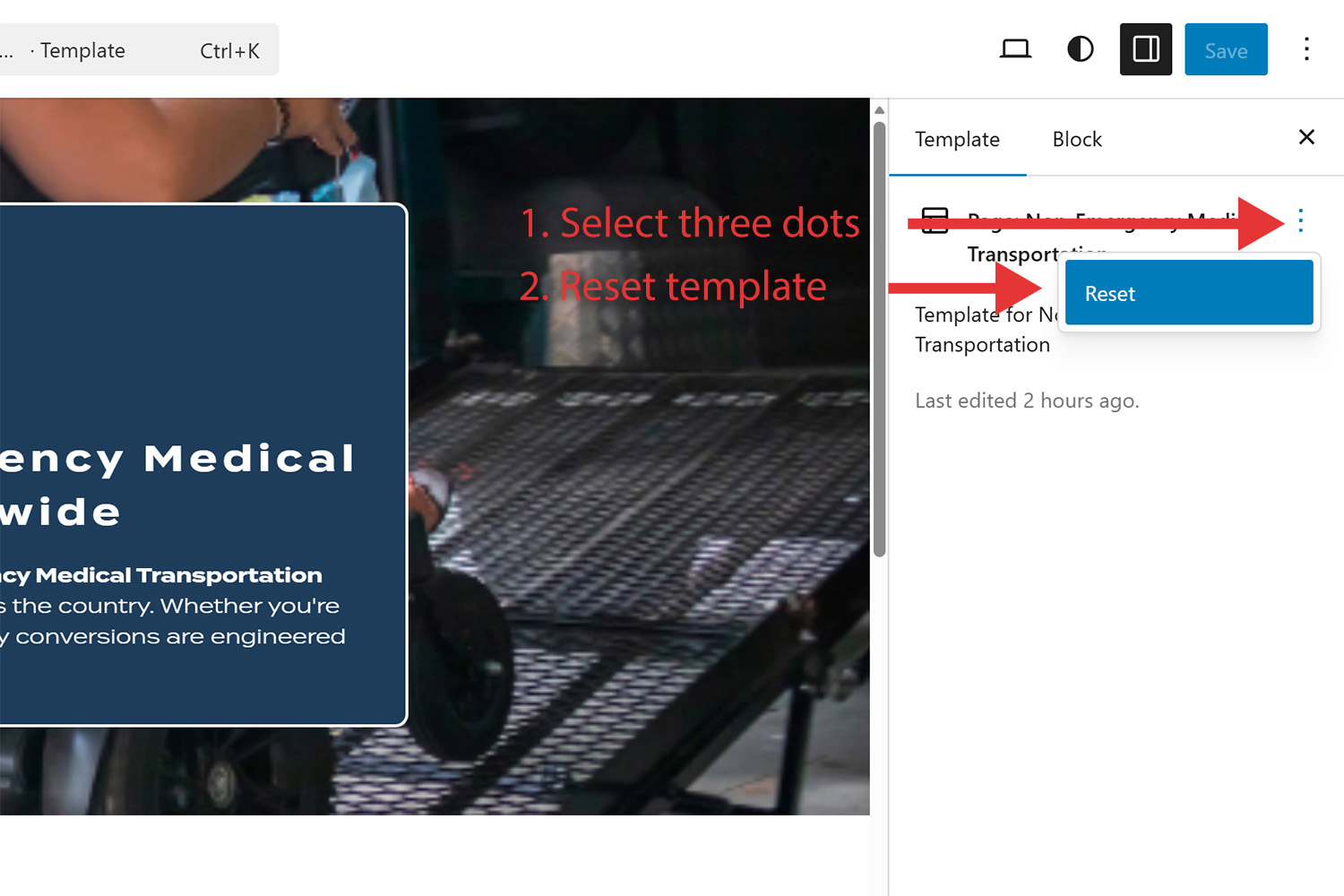
- Click the ⋯ (ellipsis) next to Edit, then select:
- Clear Customizations → revert this one template only
- Reset Templates → reverts all theme templates
- And/or Reset to defaults under the Styles tab.
UI Step-by-Step
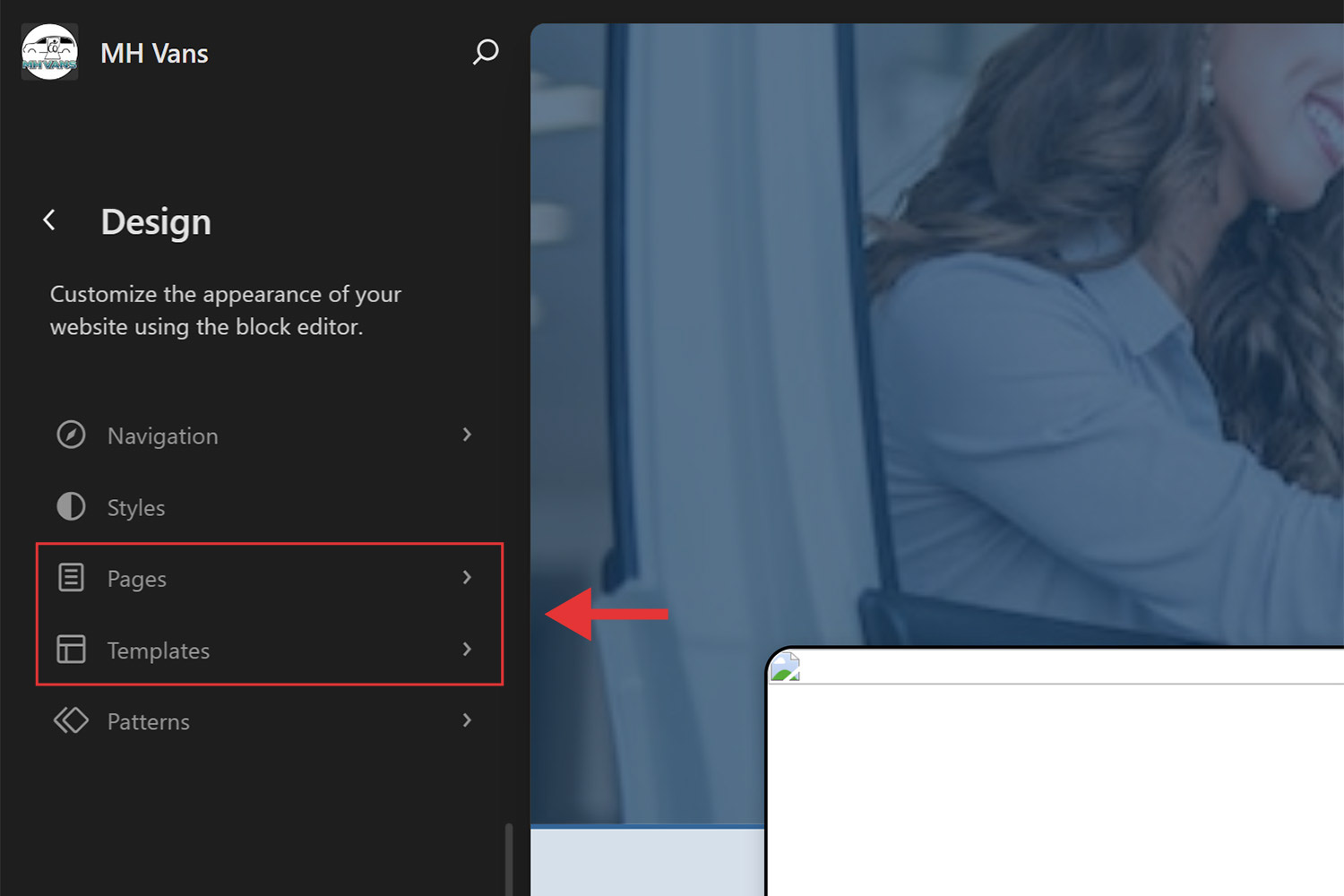
- Site Editor: top toolbar includes icons for Navigation, Styles, Pages, Templates, and Patterns.
- Under Templates → Edit Template, ellipsis menu allows Reset actions.
Feature Comparison
| Feature | Page Revisions | Reset to HTML Template |
|---|---|---|
| Scope | Single page/post in Block editor | Full theme template or template part via Site Editor |
| Use-case | Undo edits, recover pre-publish content | Discard template customizations, revert to theme defaults |
| Access Location | Page Edit screen → Revisions sidebar item | Appearance → Editor → Templates/Styles panel |
| Limitations | Only stores changes after saving (draft/update) | Only available with Block themes using Site Editor |